 Ledgerlite
Know where the money went. Keep your statements to yourself.
Drop in statements from every bank account and card — HDFC, ICICI, SBI, Axis, password-protected PDFs, scans, Excel — and see income, spending and budgets in one honest picture. It all happens in your browser, encrypted, and nothing is uploaded.
Free. No sign-up, no bank login, no server. Works offline once opened.
From a folder of PDFs to one picture
-
Drop the statements in
Bank and card statements as PDF (text or scanned), photos, CSV or Excel. Password-protected PDFs ask for their password; keep it inside your encrypted vault if you like, and next month's statement opens by itself.
-
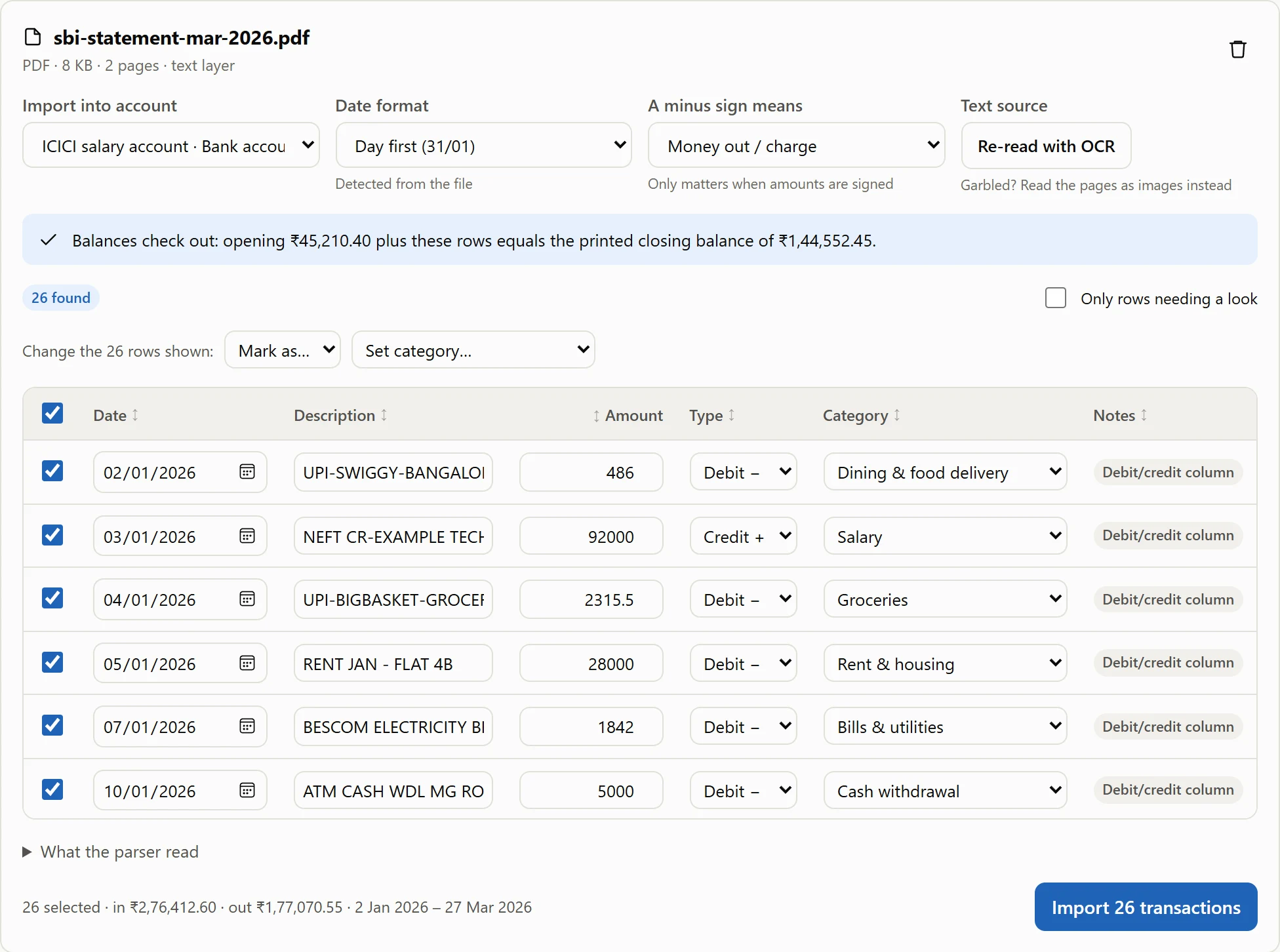
Check what was read
Every row shows how its debit or credit was decided. Anything uncertain is flagged, and the rows are checked against the statement's own opening and closing balance.
-
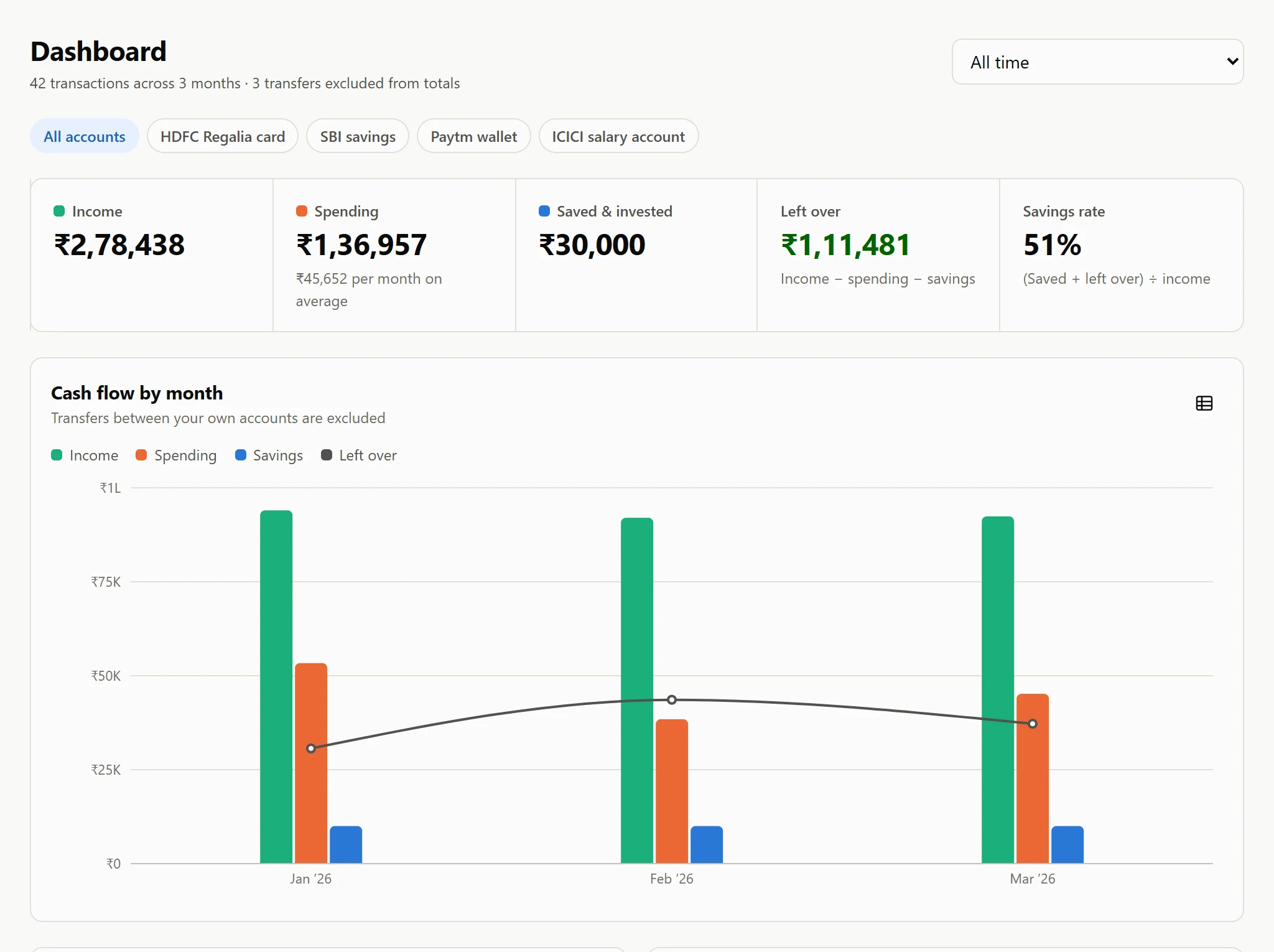
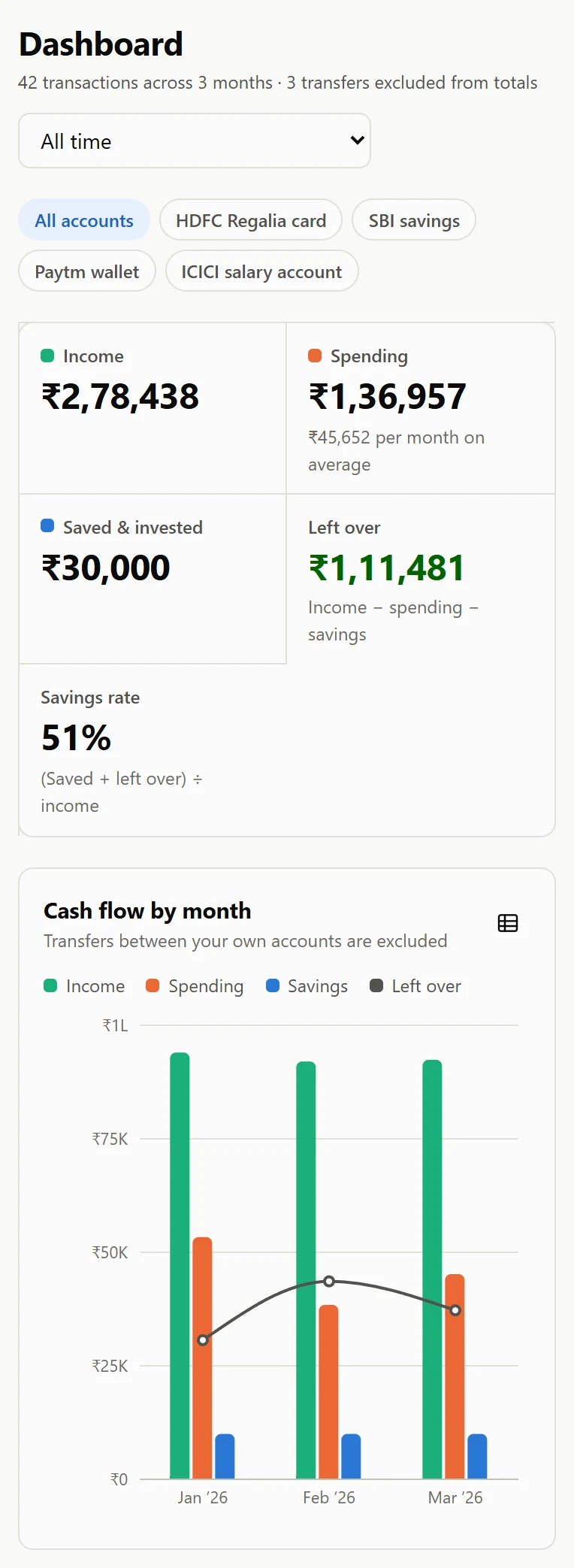
See it all together
Income, spending by category, merchants and budgets across every account. Paying a card bill from your bank counts once, as a transfer, not twice as spending.
Then it notices what you would miss
- Subscriptions and EMIs, found for you. Rent, SIPs, insurance and OTT are recognised from the statements themselves. See what is due next month, which subscription went from ₹649 to ₹699, and which one quietly stopped.
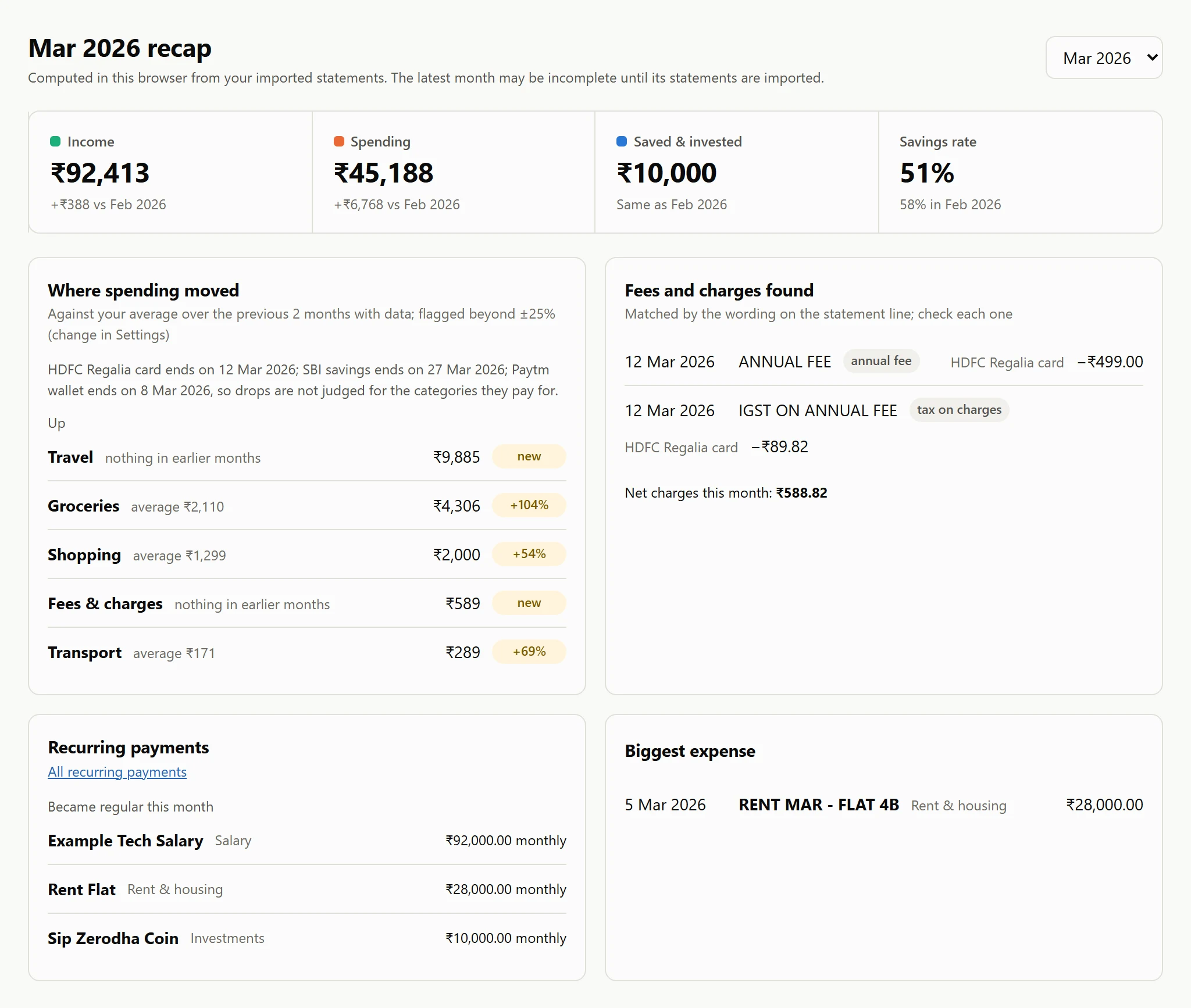
- A recap for every month. Which categories ran above your usual, the annual fees, late fees and GST on charges hiding in your card statement, and your biggest expense. A statement you haven't imported yet is never read as spending nothing.
- Split a bill. ₹6,000 at DMart can be ₹4,500 of groceries, ₹1,000 for the house and ₹500 that a friend owes. Each part counts in its own budget.
- Who owes whom. Money you lent, or paid on someone's behalf, stays out of your spending and shows as a balance per person until it comes back.
- Your month, your year. Budget from payday, so a month can run from the 25th to the 24th, and look at the year from April to March.
And the whole picture, not only the month
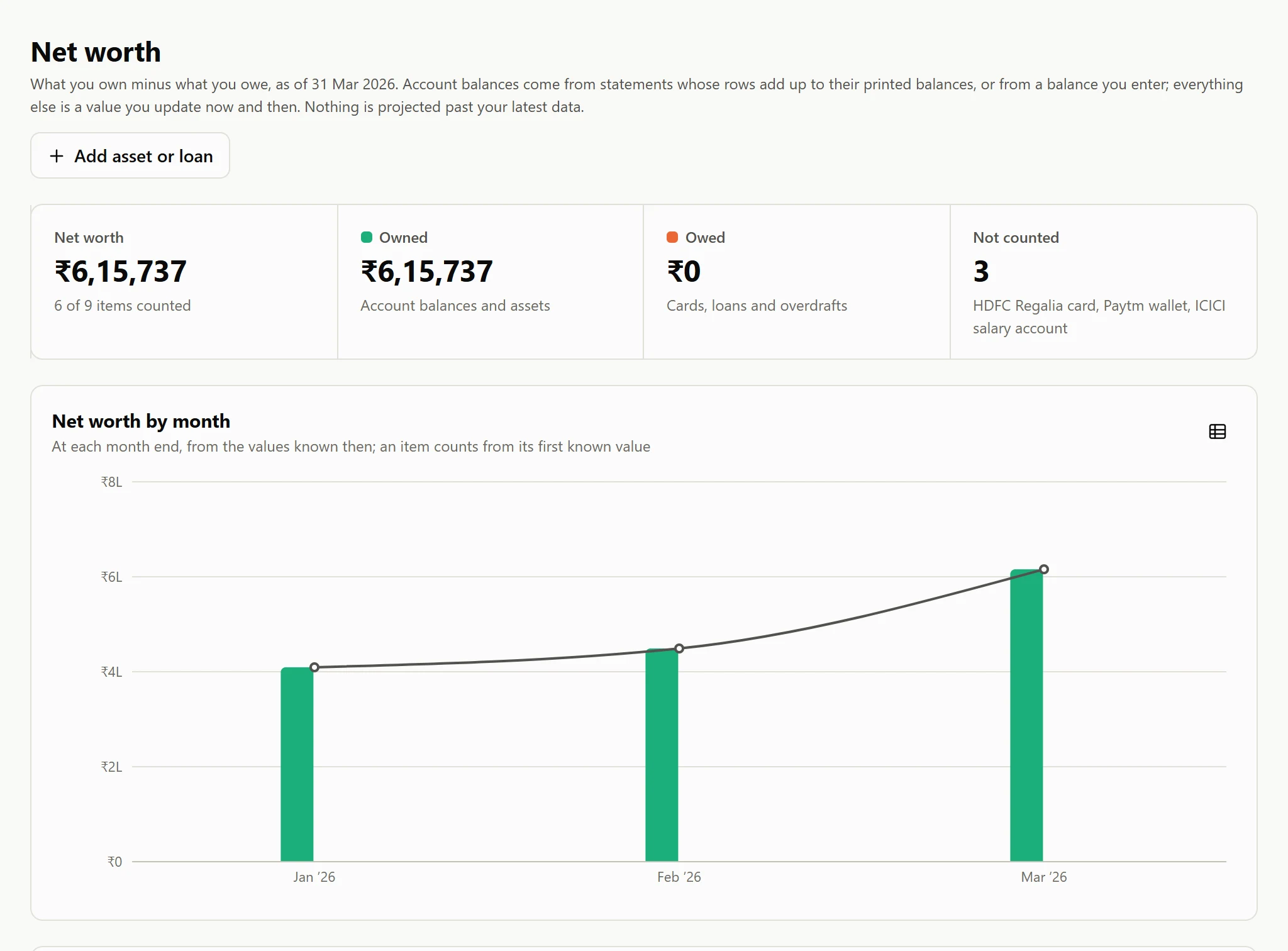
- Net worth from the statements themselves. A bank balance comes from the statement's own printed balance. Add FDs, gold, property and loans, and import your CAMS or KFintech CAS to bring in every mutual fund, each value checked as units × NAV.
- Goals that measure themselves. “Goa trip, ₹50,000 by December” counts your RD or SIP from the statements and says what is needed each month, and whether your recent pace gets there.
- A forecast for the next months. Salary, rent, EMIs and SIPs on their schedule plus your usual spending, so you see what is left before the month starts.
- Rules that tidy up. Rename UPI-123-ZOMATO to Zomato, file big orders differently, tag a trip, and apply a rule to everything already imported after previewing what it touches.
- Subcategories and tags. Food › Coffee rolls up into Food and its budget; #goa-trip shows one trip across every category.
- Whatever your bank or old app exports. OFX, QFX and QIF alongside PDF, scans, Excel and CSV, so moving from Quicken or GnuCash takes one import.
Locked to a passphrase only you know.
- Encrypted at rest
- Everything Ledgerlite keeps is one AES-256 vault in your browser. The key is derived from your passphrase each visit and is never written down.
- Nothing leaves the device
- No account, no server, no analytics. Statements are read on your machine; the page is even built to refuse outside connections.
- Locks itself
- Step away and it locks after the idle time you choose. Unlock with your passphrase, or a passkey such as Windows Hello or a fingerprint.
- Yours to move
- Download an encrypted backup to open on another computer with the same passphrase, or export CSV for a spreadsheet.
{
  "id": "main",
  "format": 1,
  "rev": 2,
  "methods": [{
    "kind": "passphrase",
    "salt": "c//P01SK+fEgx1qyCn8fSQ==",
    "iterations": 600000,
    "wrapped": { "iv": "ZqzJ7H+5Gp3Nl9MY",
                 "ct": "VITmI4qcw+FEN0S5iFRfZTv1…" }
  }],
  "data": {
    "iv": "2QO6vUkccEN08wdQ",
    "ct": "Byc+E4JeaETjh3rOwLZW7mFFaJCVX9g
           Gc9HHESJwSQJWhqHbbuQ6cmEbV2r3xfH
           9cPFvunQN4JG3/BHQAZwqAILD3VtDh8P…"
  }
}
Made for the statements you actually get
- Password-protected PDFs. The usual way banks send them. Type the password once; if you choose, it is kept inside your encrypted vault (never in a plaintext export) and the next statement opens without asking.
- Scanned and photographed pages. Read with on-device OCR, so a photo of a printed statement works too.
- Cr and Dr, DD/MM, lakh grouping. Credit markers, day-first dates, amounts like 1,23,456.78, and card statements that skip the year.
- UPI, NEFT and IMPS noise. Narrations like UPI-SWIGGY-BANGALORE are grouped into the merchant you recognise and categorised.
- Every account at once. Savings, salary, credit cards and wallets, with card bills and self-transfers counted once.
- Budgets that add up. Monthly limits per category, with refunds reducing spend instead of counting as income, and months that can start on payday.
- April to March. The year presets follow the Indian financial year, and lakh grouping is everywhere.
What it deliberately doesn't do
- No bank login or automatic sync. You bring the statements; nobody else ever holds your credentials.
- No password reset. Forget the passphrase and the data cannot be recovered — by anyone. Keep an encrypted backup.
- One browser at a time. Move between devices with an encrypted backup, not a cloud account.
Your first month takes one sitting.
Open it, set a passphrase, drop in last month's statements.
Open Ledgerlite